
Power tools are brilliant pieces of equipment that can make...
 Applied Technology8 visualizaciones·Actualizado Jun 11, 2026·7 páginas
Getting Started with Basic Power Tools
1 / 7
1
of 7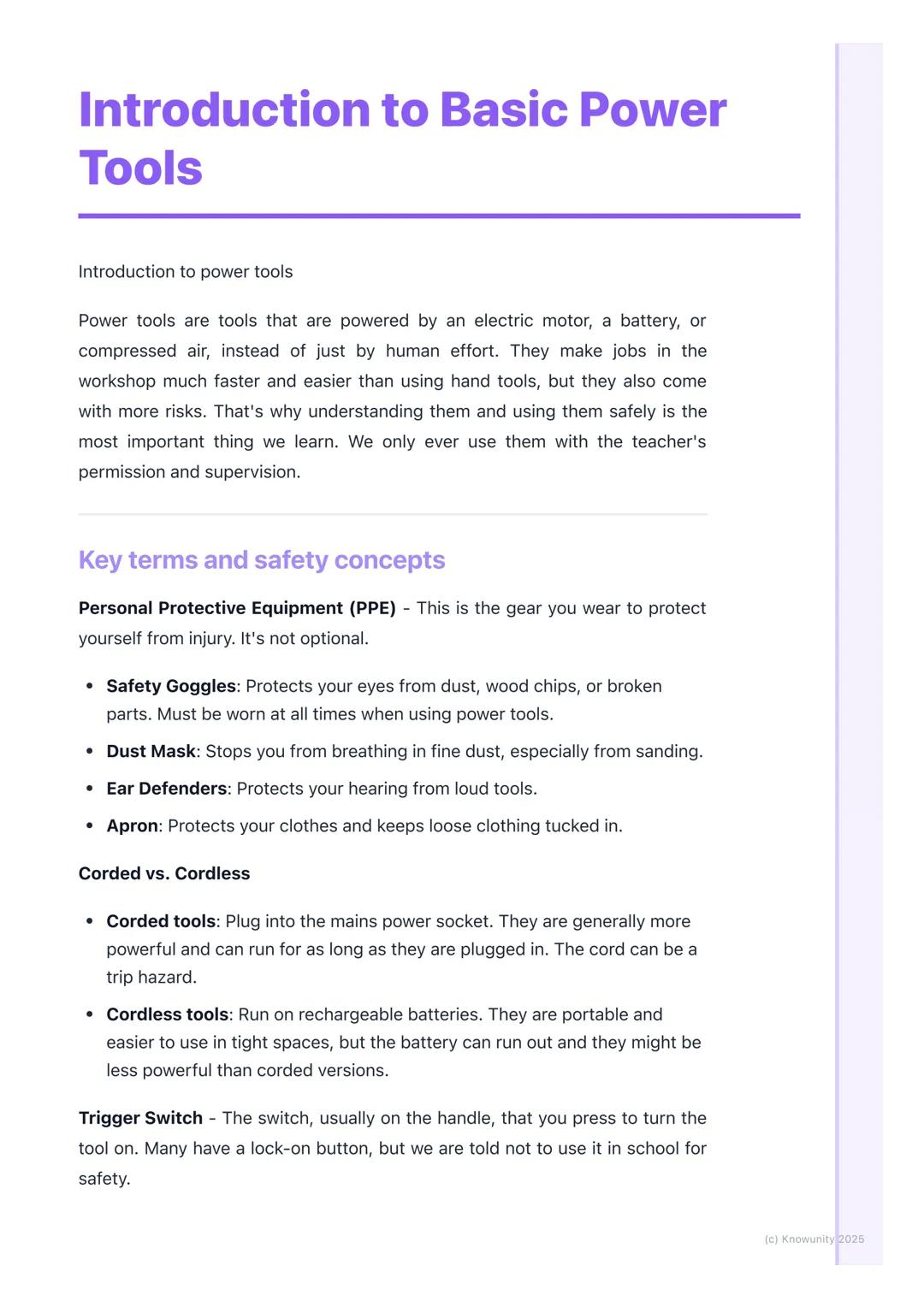
Introduction to Basic Power Tools
Think of power tools as your hand tools' supercharged cousins - they use electric motors, batteries, or compressed air instead of just muscle power. This makes them incredibly efficient, but also means they require much more respect and caution.
Personal Protective Equipment (PPE) isn't just a suggestion - it's absolutely essential every single time. Safety goggles protect your eyes from flying debris, dust masks keep harmful particles out of your lungs, and ear defenders save your hearing from loud machinery. Your apron keeps loose clothing safely tucked away from moving parts.
Understanding the difference between corded and cordless tools helps you choose the right one for each job. Corded tools plug into mains power, giving you consistent strength but potentially creating trip hazards. Cordless tools run on rechargeable batteries, offering portability and easier handling in tight spaces, though they may be less powerful and can run out of juice mid-project.
Remember: The trigger switch controls most power tools, but never use the lock-on button at school - it's there for safety reasons!
2
of 7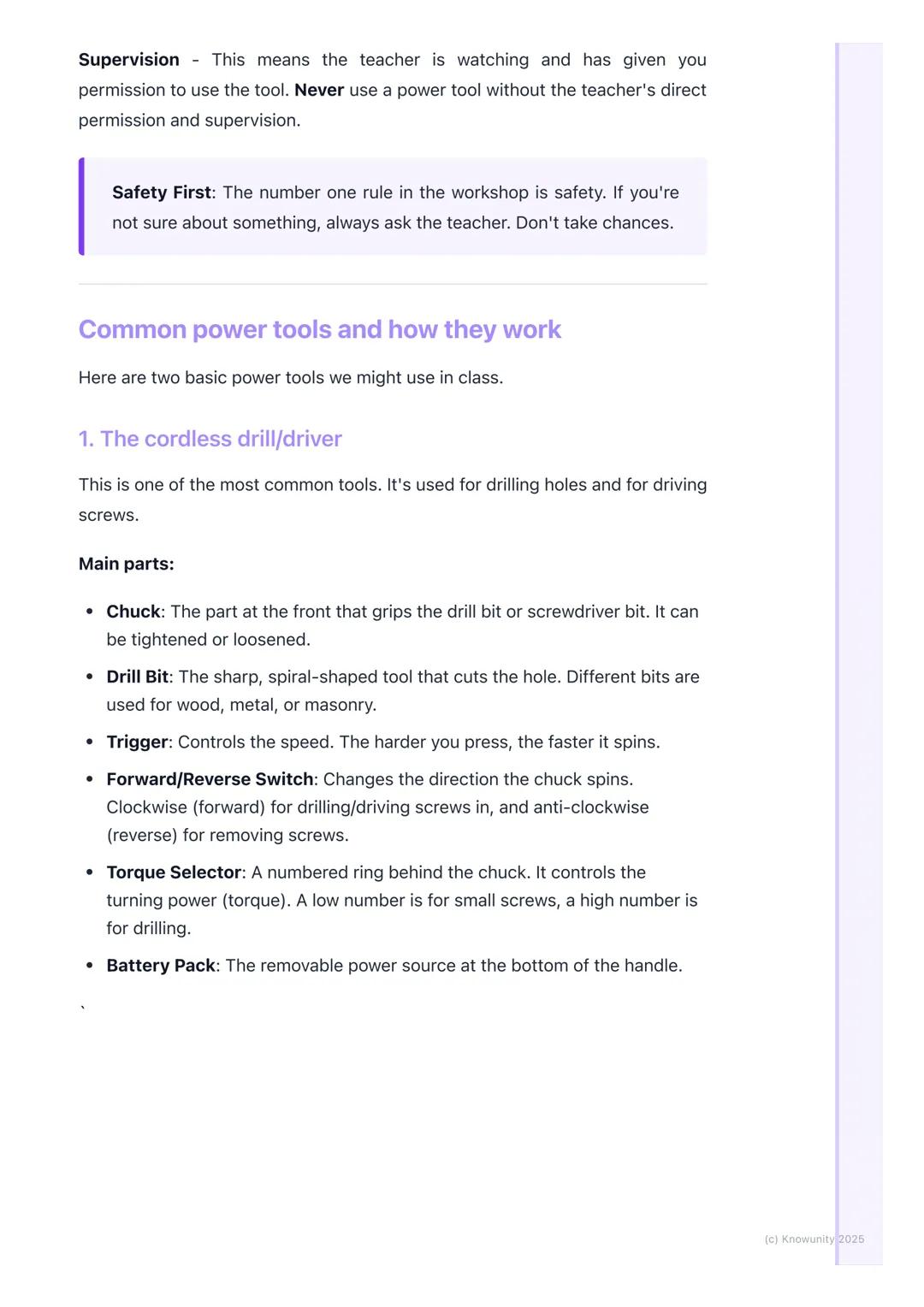
Essential Safety Rules and Common Tools
Supervision means your teacher is actively watching and has given you clear permission to proceed. This isn't negotiable - no power tool gets switched on without proper oversight. When in doubt, always ask rather than guess.
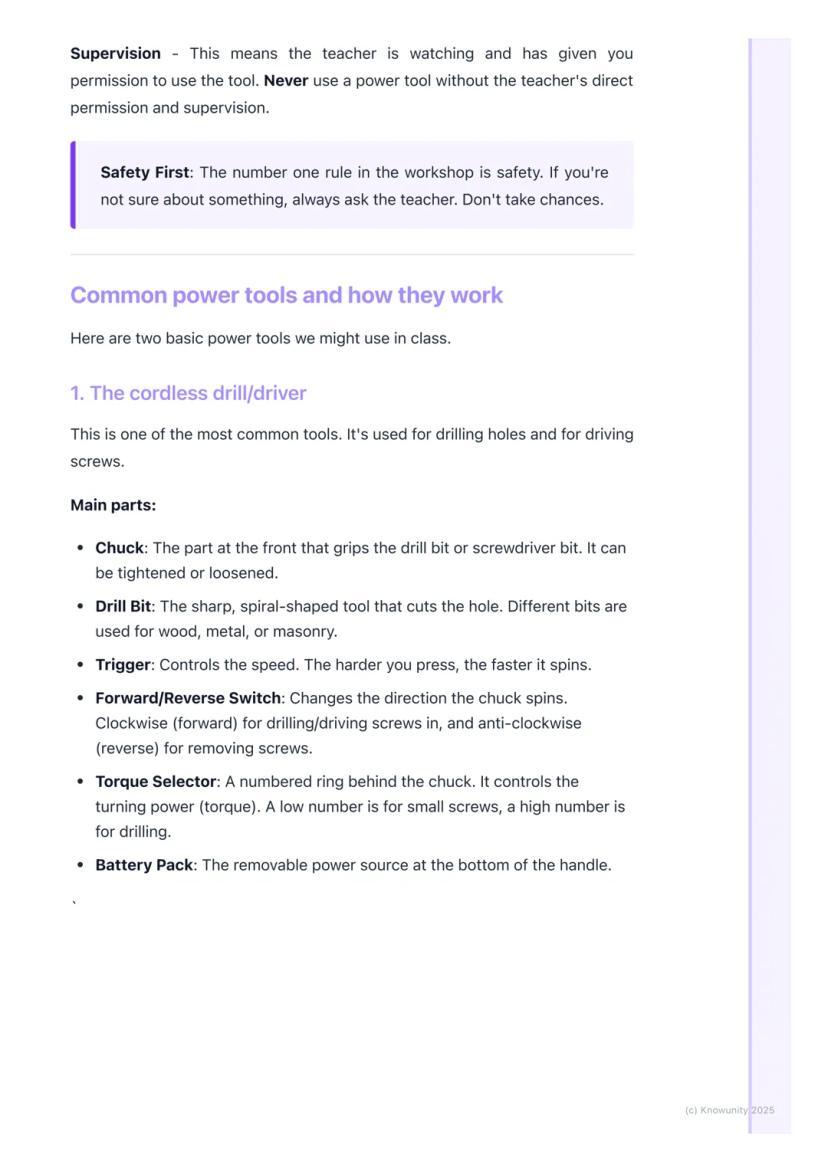
The cordless drill is probably the most versatile tool you'll encounter. Its chuck grips different drill bits and screwdriver attachments, whilst the torque selector (that numbered ring) controls how much turning force gets applied. Low numbers work perfectly for delicate screws, whilst higher settings handle heavy-duty drilling tasks.
Orbital sanders transform tedious hand-sanding into quick, professional-looking results. The base plate moves in tiny circles, preventing ugly scratches whilst the sandpaper grit determines the finish quality. Lower grit numbers (like 60) remove material aggressively, whilst higher numbers (like 240) create smooth, refined surfaces.
Top Tip: Always check that drill bits are properly tightened in the chuck before starting - a loose bit can be dangerous and won't do the job properly!
3
of 7
Step-by-Step Safe Drilling Process
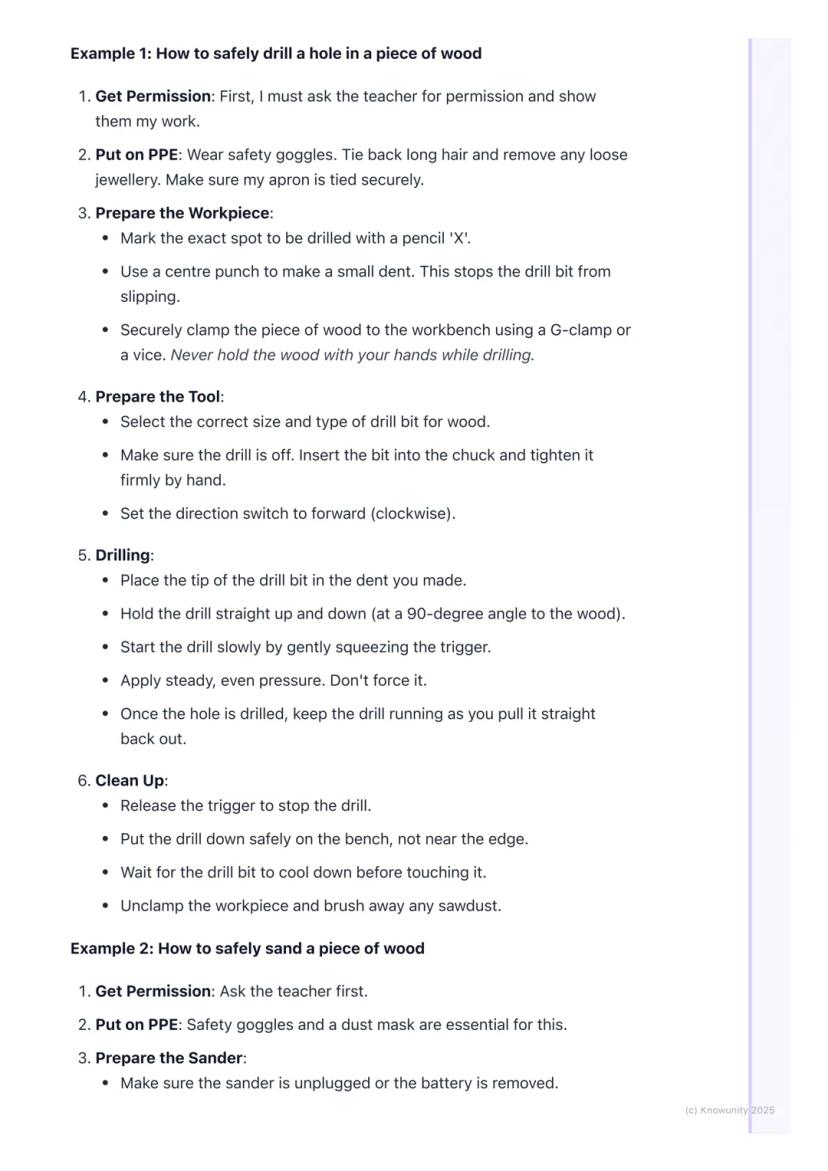
Getting permission always comes first - show your teacher exactly what you're planning and get their approval before touching any equipment. Next, gear up with proper PPE, secure long hair, and remove loose jewellery that could get caught.
Preparing your workpiece requires precision and safety thinking. Mark your drilling spot with a pencil X, then use a centre punch to create a small starter dent - this prevents the bit from wandering across the surface. Never attempt to hold wood by hand whilst drilling; always use G-clamps or a vice to secure it firmly.
Tool preparation involves selecting the correct drill bit for your material, inserting it properly into the chuck, and tightening it securely by hand. Set your direction switch to forward (clockwise) for drilling, and you're ready to go.
The actual drilling technique matters enormously. Start slowly with gentle trigger pressure, hold the drill perfectly perpendicular to the wood surface, and apply steady downward pressure without forcing it. Once through, keep the drill running as you withdraw it straight back out.
Safety Alert: Always wait for drill bits to cool down before touching them - they get surprisingly hot during use!
4
of 7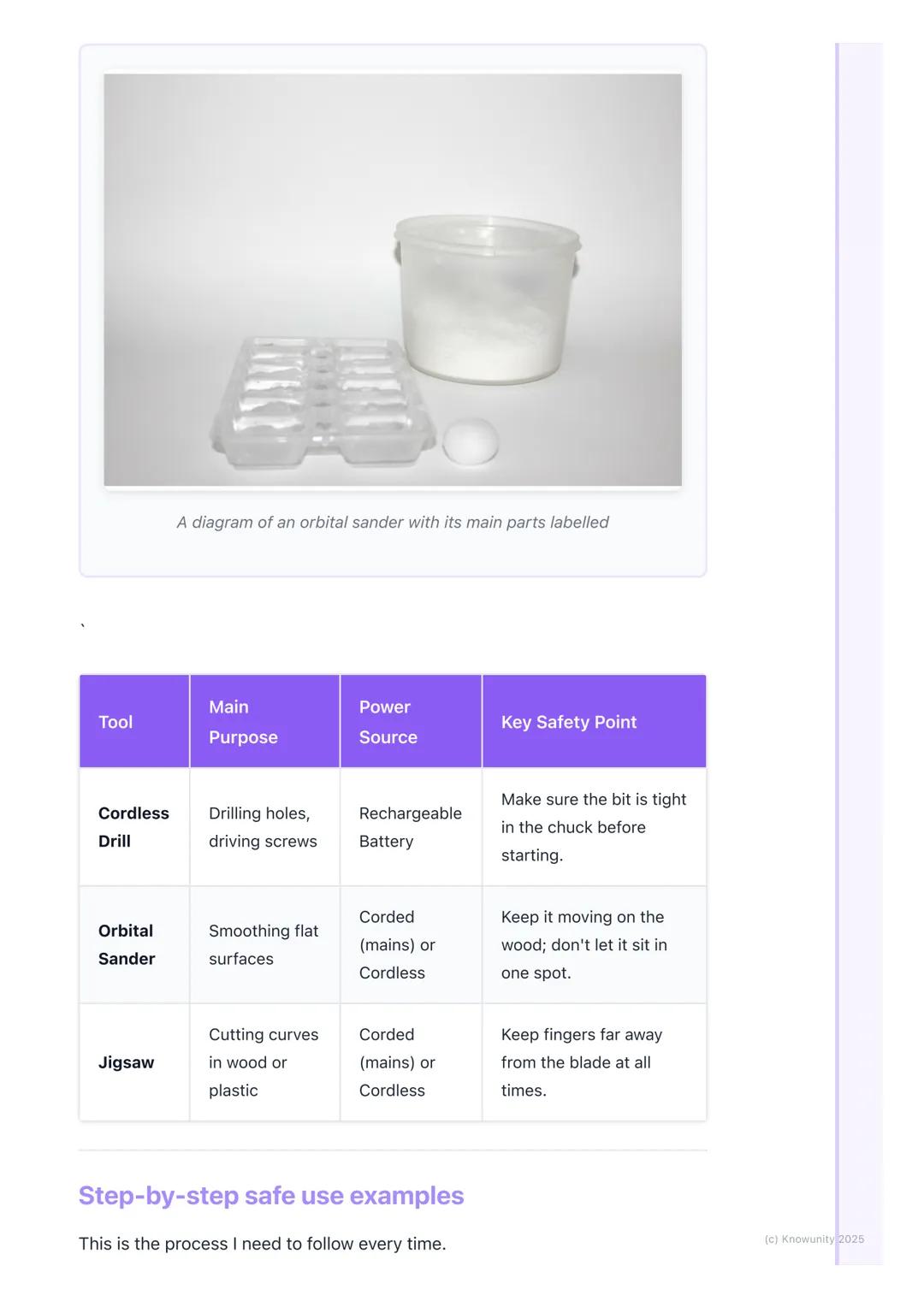
Safe Sanding Techniques and Key Safety Points
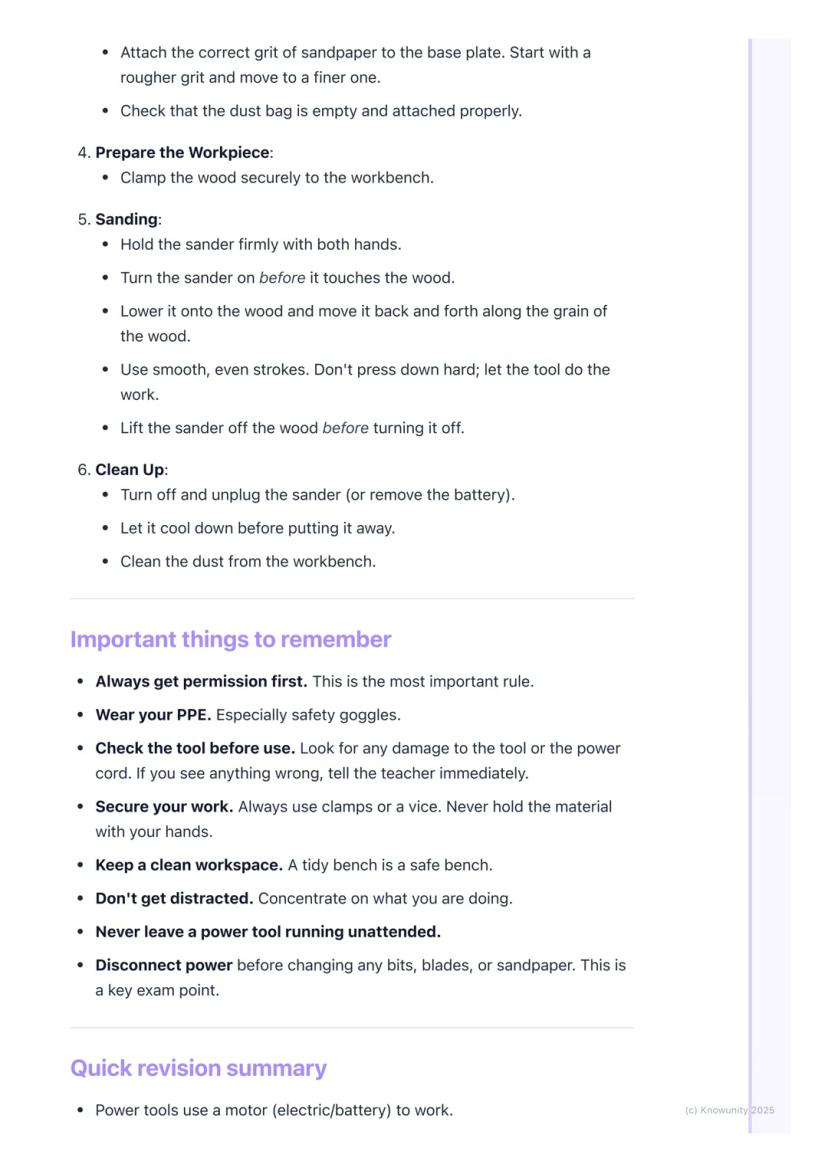
Sanding preparation follows the same permission and PPE routine, but dust masks become absolutely critical here. Fine sawdust can seriously damage your lungs, so never skip this protection. Always disconnect power completely before attaching sandpaper to the base plate.
Proper sanding technique means starting the sander before it touches the wood, then lowering it gently onto the surface. Move it smoothly along the wood grain using both hands for control, and don't press down hard - let the tool's weight and motion do the work. Always lift the sander off the surface before switching it off.
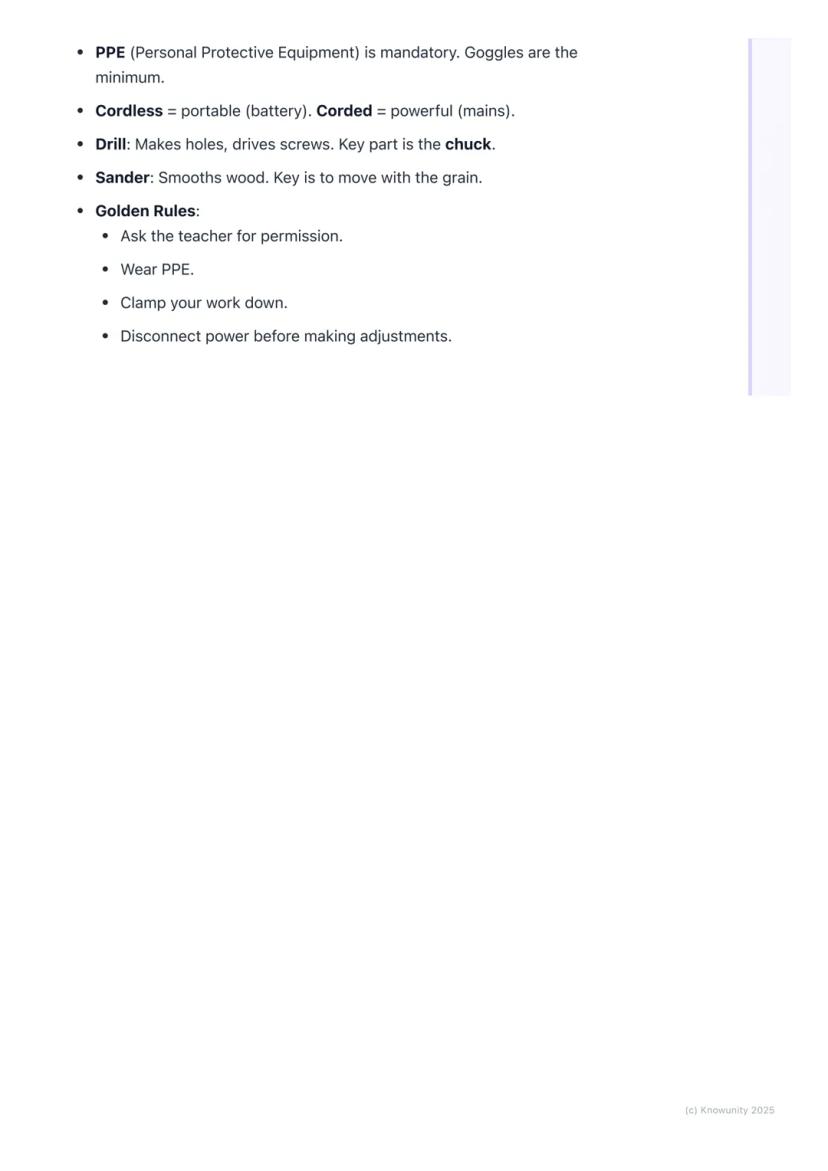
Universal safety rules apply to every power tool situation. Check equipment for damage before use, keep your workspace tidy and well-organised, and never leave running tools unattended. Most importantly, disconnect power before changing any bits, blades, or attachments - this prevents accidental starting.
Key exam points include understanding that corded tools provide more consistent power than cordless versions, knowing that PPE is mandatory (especially safety goggles), and remembering that supervision means active teacher involvement, not just their presence in the room.
Golden Rule: When you're uncertain about anything, stop immediately and ask your teacher - taking chances with power tools is never worth the risk!
5
of 7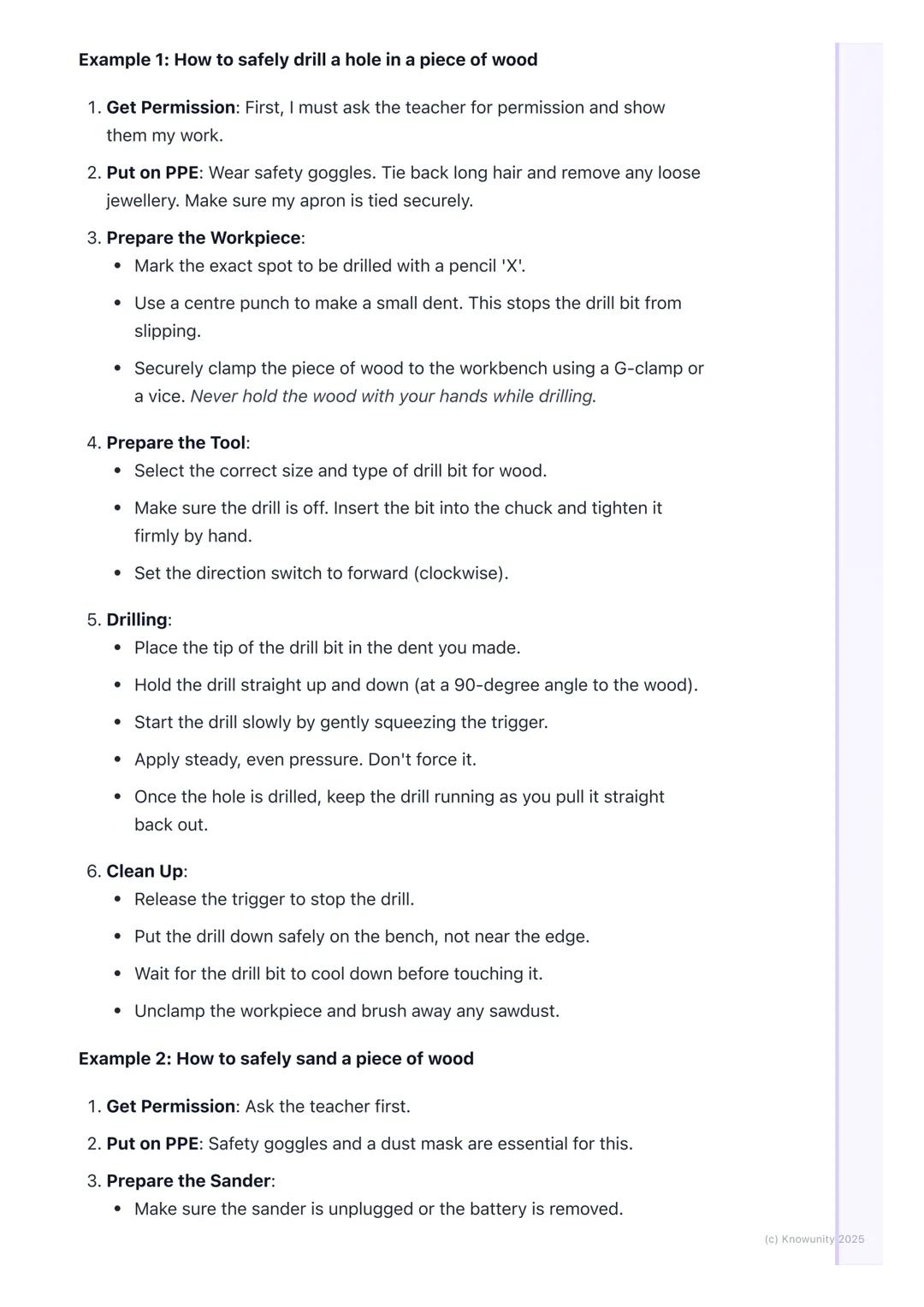
6
of 7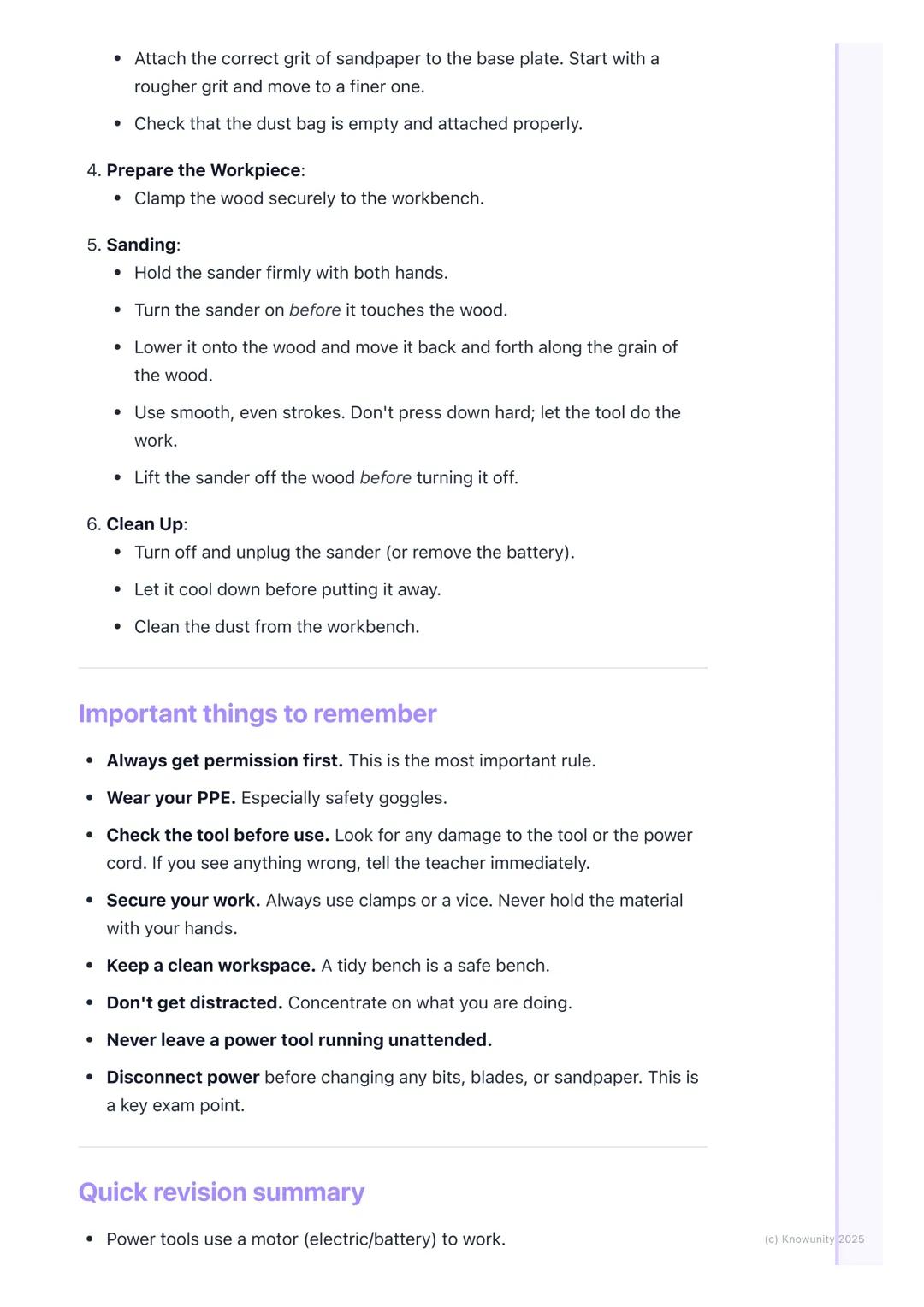
7
of 7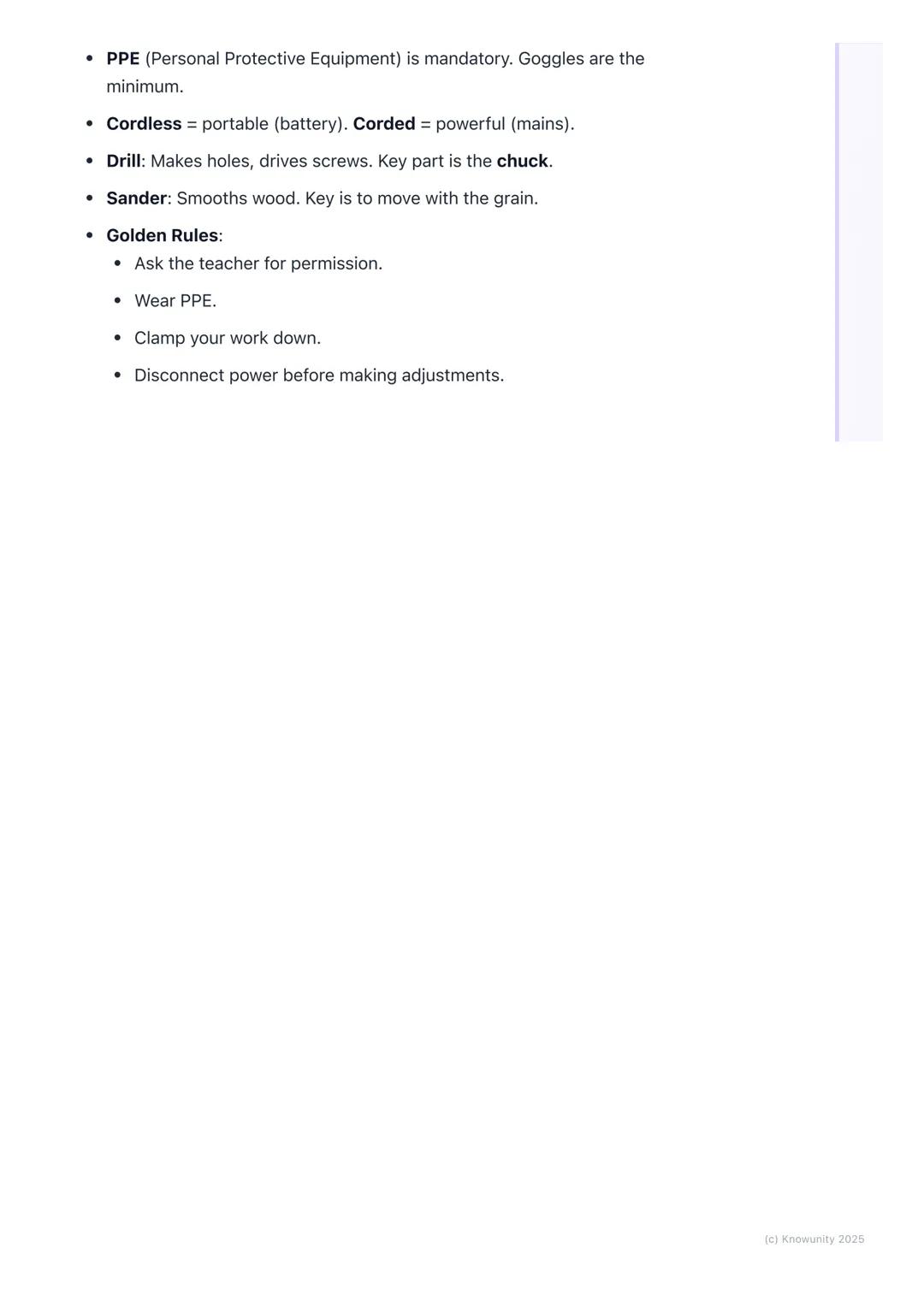
Pensamos que nunca lo preguntarías...
¿Qué es Knowunity AI companion?
Nuestro compañero de IA está específicamente adaptado a las necesidades de los estudiantes. Basándonos en los millones de contenidos que tenemos en la plataforma, podemos dar a los estudiantes respuestas realmente significativas y relevantes. Pero no se trata solo de respuestas, el compañero también guía a los estudiantes a través de sus retos de aprendizaje diarios, con planes de aprendizaje personalizados, cuestionarios o contenidos en el chat y una personalización del 100% basada en las habilidades y el desarrollo de los estudiantes.
¿Dónde puedo descargar la app Knowunity?
Puedes descargar la app en Google Play Store y Apple App Store.
¿Knowunity es totalmente gratuito?
¡Sí lo es! Tienes acceso totalmente gratuito a todo el contenido de la app, puedes chatear con otros alumnos y recibir ayuda inmeditamente. Puedes ganar dinero utilizando la aplicación, que te permitirá acceder a determinadas funciones.
Contenidos más populares
9 Irish
IrishIrish oral questions and answers
Questions and answers for the leaving cert oral
5th Year4264
 English
Key Quotes : Sive
Key Quotes and explanations: Sive
6th Year2842
IrishIrish oral questions
Outline of oral questions
5th Year2055
IrishIníon- le hÁine Durkin
Aine Durkin’s poem, Iníon: Themes & summary
5th Year850
IrishIrish poetry 2027
Iníon + Dínit an Bhróin
5th Year1133
IrishLC HL notes- Iníon (poem)
Includes poem in English and Irish, theme, key words & phrases
5th Year2284
EnglishCultural Context : Shawshank Redemption : Sive : Small Things Like These
Comparative Study : Cultural Context : Shawshank Redemption, Sive and Small Things Like These
6th Year1430
IrishMo Ghrá-sa (Idir Lúibíní)
Notes on mo ghrá-sa
5th Year380
IrishAn Gaeilge Aiste
Irish Language essay
6th Year1320
¿No encuentras lo que buscas? Explora otros temas.
Mira lo que dicen nuestros usuarios. Les encantó — y a ti también te encantará.
4.6/5App Store
4.7/5Google Play
La app es muy fácil de usar y está muy bien diseñada. Hasta ahora he encontrado todo lo que estaba buscando y he podido aprender mucho de las presentaciones. Definitivamente utilizaré la aplicación para un examen de clase. Y, por supuesto, también me sirve mucho de inspiración.
Pablousuario de iOS
Esta app es realmente genial. Hay tantos apuntes de clase y ayuda [...]. Tengo problemas con matemáticas, por ejemplo, y la aplicación tiene muchas opciones de ayuda. Gracias a Knowunity, he mejorado en mates. Se la recomiendo a todo el mundo.
Elenausuaria de Android
Vaya, estoy realmente sorprendida. Acabo de probar la app porque la he visto anunciada muchas veces y me he quedado absolutamente alucinada. Esta app es LA AYUDA que quieres para el insti y, sobre todo, ofrece muchísimas cosas, como ejercicios y hojas informativas, que a mí personalmente me han sido MUY útiles.
Anausuaria de iOS
Applied Technology8 visualizaciones·Actualizado Jun 11, 2026·7 páginasGetting Started with Basic Power Tools
Power tools are brilliant pieces of equipment that can make workshop jobs much faster and easier than using hand tools alone. However, they also come with serious safety responsibilities that every student must understand and follow. Learning to use them...
1
of 7
Inscríbete para ver los apuntes. ¡Es gratis!
- Acceso a todos los documentos
- Mejora tus notas
- Únete a millones de estudiantes
Introduction to Basic Power Tools
Think of power tools as your hand tools' supercharged cousins - they use electric motors, batteries, or compressed air instead of just muscle power. This makes them incredibly efficient, but also means they require much more respect and caution.
Personal Protective Equipment (PPE) isn't just a suggestion - it's absolutely essential every single time. Safety goggles protect your eyes from flying debris, dust masks keep harmful particles out of your lungs, and ear defenders save your hearing from loud machinery. Your apron keeps loose clothing safely tucked away from moving parts.
Understanding the difference between corded and cordless tools helps you choose the right one for each job. Corded tools plug into mains power, giving you consistent strength but potentially creating trip hazards. Cordless tools run on rechargeable batteries, offering portability and easier handling in tight spaces, though they may be less powerful and can run out of juice mid-project.
Remember: The trigger switch controls most power tools, but never use the lock-on button at school - it's there for safety reasons!
2
of 7Inscríbete para ver los apuntes. ¡Es gratis!
- Acceso a todos los documentos
- Mejora tus notas
- Únete a millones de estudiantes
Essential Safety Rules and Common Tools
Supervision means your teacher is actively watching and has given you clear permission to proceed. This isn't negotiable - no power tool gets switched on without proper oversight. When in doubt, always ask rather than guess.
The cordless drill is probably the most versatile tool you'll encounter. Its chuck grips different drill bits and screwdriver attachments, whilst the torque selector (that numbered ring) controls how much turning force gets applied. Low numbers work perfectly for delicate screws, whilst higher settings handle heavy-duty drilling tasks.
Orbital sanders transform tedious hand-sanding into quick, professional-looking results. The base plate moves in tiny circles, preventing ugly scratches whilst the sandpaper grit determines the finish quality. Lower grit numbers (like 60) remove material aggressively, whilst higher numbers (like 240) create smooth, refined surfaces.
Top Tip: Always check that drill bits are properly tightened in the chuck before starting - a loose bit can be dangerous and won't do the job properly!
3
of 7Inscríbete para ver los apuntes. ¡Es gratis!
- Acceso a todos los documentos
- Mejora tus notas
- Únete a millones de estudiantes
Step-by-Step Safe Drilling Process
Getting permission always comes first - show your teacher exactly what you're planning and get their approval before touching any equipment. Next, gear up with proper PPE, secure long hair, and remove loose jewellery that could get caught.
Preparing your workpiece requires precision and safety thinking. Mark your drilling spot with a pencil X, then use a centre punch to create a small starter dent - this prevents the bit from wandering across the surface. Never attempt to hold wood by hand whilst drilling; always use G-clamps or a vice to secure it firmly.
Tool preparation involves selecting the correct drill bit for your material, inserting it properly into the chuck, and tightening it securely by hand. Set your direction switch to forward (clockwise) for drilling, and you're ready to go.
The actual drilling technique matters enormously. Start slowly with gentle trigger pressure, hold the drill perfectly perpendicular to the wood surface, and apply steady downward pressure without forcing it. Once through, keep the drill running as you withdraw it straight back out.
Safety Alert: Always wait for drill bits to cool down before touching them - they get surprisingly hot during use!
4
of 7Inscríbete para ver los apuntes. ¡Es gratis!
- Acceso a todos los documentos
- Mejora tus notas
- Únete a millones de estudiantes
Safe Sanding Techniques and Key Safety Points
Sanding preparation follows the same permission and PPE routine, but dust masks become absolutely critical here. Fine sawdust can seriously damage your lungs, so never skip this protection. Always disconnect power completely before attaching sandpaper to the base plate.
Proper sanding technique means starting the sander before it touches the wood, then lowering it gently onto the surface. Move it smoothly along the wood grain using both hands for control, and don't press down hard - let the tool's weight and motion do the work. Always lift the sander off the surface before switching it off.
Universal safety rules apply to every power tool situation. Check equipment for damage before use, keep your workspace tidy and well-organised, and never leave running tools unattended. Most importantly, disconnect power before changing any bits, blades, or attachments - this prevents accidental starting.
Key exam points include understanding that corded tools provide more consistent power than cordless versions, knowing that PPE is mandatory (especially safety goggles), and remembering that supervision means active teacher involvement, not just their presence in the room.
Golden Rule: When you're uncertain about anything, stop immediately and ask your teacher - taking chances with power tools is never worth the risk!
5
of 7Inscríbete para ver los apuntes. ¡Es gratis!
- Acceso a todos los documentos
- Mejora tus notas
- Únete a millones de estudiantes
6
of 7Inscríbete para ver los apuntes. ¡Es gratis!
- Acceso a todos los documentos
- Mejora tus notas
- Únete a millones de estudiantes
7
of 7Inscríbete para ver los apuntes. ¡Es gratis!
- Acceso a todos los documentos
- Mejora tus notas
- Únete a millones de estudiantes
Pensamos que nunca lo preguntarías...
¿Qué es Knowunity AI companion?
Nuestro compañero de IA está específicamente adaptado a las necesidades de los estudiantes. Basándonos en los millones de contenidos que tenemos en la plataforma, podemos dar a los estudiantes respuestas realmente significativas y relevantes. Pero no se trata solo de respuestas, el compañero también guía a los estudiantes a través de sus retos de aprendizaje diarios, con planes de aprendizaje personalizados, cuestionarios o contenidos en el chat y una personalización del 100% basada en las habilidades y el desarrollo de los estudiantes.
¿Dónde puedo descargar la app Knowunity?
Puedes descargar la app en Google Play Store y Apple App Store.
¿Knowunity es totalmente gratuito?
¡Sí lo es! Tienes acceso totalmente gratuito a todo el contenido de la app, puedes chatear con otros alumnos y recibir ayuda inmeditamente. Puedes ganar dinero utilizando la aplicación, que te permitirá acceder a determinadas funciones.
Contenidos más populares
9IrishIrish oral questions and answers
Questions and answers for the leaving cert oral
5th Year4264
EnglishKey Quotes : Sive
Key Quotes and explanations: Sive
6th Year2842
IrishIrish oral questions
Outline of oral questions
5th Year2055
IrishIníon- le hÁine Durkin
Aine Durkin’s poem, Iníon: Themes & summary
5th Year850
IrishIrish poetry 2027
Iníon + Dínit an Bhróin
5th Year1133
IrishLC HL notes- Iníon (poem)
Includes poem in English and Irish, theme, key words & phrases
5th Year2284
EnglishCultural Context : Shawshank Redemption : Sive : Small Things Like These
Comparative Study : Cultural Context : Shawshank Redemption, Sive and Small Things Like These
6th Year1430
IrishMo Ghrá-sa (Idir Lúibíní)
Notes on mo ghrá-sa
5th Year380
IrishAn Gaeilge Aiste
Irish Language essay
6th Year1320
¿No encuentras lo que buscas? Explora otros temas.
Mira lo que dicen nuestros usuarios. Les encantó — y a ti también te encantará.
4.6/5App Store
4.7/5Google Play
La app es muy fácil de usar y está muy bien diseñada. Hasta ahora he encontrado todo lo que estaba buscando y he podido aprender mucho de las presentaciones. Definitivamente utilizaré la aplicación para un examen de clase. Y, por supuesto, también me sirve mucho de inspiración.
Pablousuario de iOS
Esta app es realmente genial. Hay tantos apuntes de clase y ayuda [...]. Tengo problemas con matemáticas, por ejemplo, y la aplicación tiene muchas opciones de ayuda. Gracias a Knowunity, he mejorado en mates. Se la recomiendo a todo el mundo.
Elenausuaria de Android
Vaya, estoy realmente sorprendida. Acabo de probar la app porque la he visto anunciada muchas veces y me he quedado absolutamente alucinada. Esta app es LA AYUDA que quieres para el insti y, sobre todo, ofrece muchísimas cosas, como ejercicios y hojas informativas, que a mí personalmente me han sido MUY útiles.
Anausuaria de iOS